


Introduction: Why Amazon Sellers Need a Smarter Restocking Strategy
For Amazon FBA sellers, inventory planning is about more than purchasing products and sending them to a fulfillment center. Sellers must balance customer demand, supplier lead times, available storage, fulfillment fees, and Amazon's inventory restrictions.
When a product sells faster than expected, replenishment becomes urgent. However, an inventory restriction can prevent a seller from sending additional units even when the product is running low. The result can be missed sales opportunities, disrupted advertising campaigns, and uncertainty about when inventory can be replenished.
Amazon's inventory policies can also involve different types of restrictions. An account may have available capacity while a particular product is restricted from being shipped. Conversely, a product may be eligible for replenishment while the seller has insufficient remaining capacity for the planned shipment.
The key is to stop treating restocking as a last-minute task and start managing it as a continuous inventory planning process.
In this guide, we explain how Amazon restock restrictions work, what sellers should review when a shipment is blocked, and how better forecasting, third-party storage, and disciplined replenishment planning can help reduce stockout risks.
What Are Amazon Restock Limits?
Amazon restock limits is a term sellers use when describing restrictions on how much inventory they can replenish. The exact restriction matters because different Amazon inventory controls operate differently.
Product-level shipment restrictions
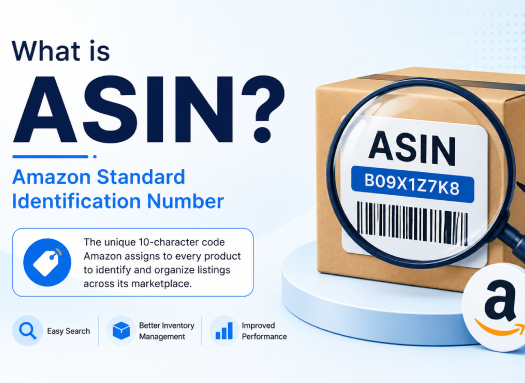
Amazon may restrict shipment creation for a particular ASIN when its inventory situation meets certain restriction criteria. ASIN stands for Amazon Standard Identification Number.
These restrictions can affect individual products rather than the seller's entire account. The applicable reason and available corrective action should be checked in the relevant Seller Central notification.
Account-level FBA capacity limits
FBA capacity limits determine how much inventory a seller can send to and store within Amazon's fulfillment network for a given storage type and period.
Amazon explains that capacity limits are influenced by factors including inventory performance, historical sales, demand forecasts, seasonal demand, planned deals, and fulfillment center capacity. Sellers can review their limits and usage through the Capacity Monitor in Seller Central.
Source: https://sellercentral.amazon.com/help/hub/reference/external/GAFNWEYTJUV2GBFC
Why the distinction matters
Imagine a seller has 500 units of remaining FBA capacity but cannot create a shipment for a particular ASIN because of a product-level restriction.
Reducing inventory elsewhere might help with an account-level capacity problem, but it does not necessarily resolve the individual ASIN restriction.
The reverse is also possible: a product may be eligible for replenishment, but the seller may not have enough available capacity to send the intended quantity.
Before making changes to inventory, identify the exact restriction and follow the instructions associated with it.
Why Can Amazon Restrict Inventory Replenishment?
Inventory restrictions can create confusion because sellers may have several competing priorities at the same time.
Common situations that require investigation include:
Excess inventory: A product has more stock than its expected sales justify, potentially tying up valuable fulfillment space.
Low available stock: A product has little inventory available for customers, but inventory already on hand or in transit may influence replenishment calculations.
Uncertain sales forecasts: Recent sales history may not fully reflect a new promotion, seasonal peak, product launch, or sudden increase in demand.
Inbound inventory delays: Shipments that are working, in transit, or being received may affect inventory calculations even though the units are not yet available for customer orders.
Storage capacity constraints: A seller's planned shipment may exceed the remaining capacity for the relevant storage type.
Product eligibility or compliance issues: Certain products may have separate restrictions relating to eligibility, preparation, labeling, dangerous goods, expiration dates, or other requirements.
These are different problems and should not be treated as interchangeable. A seller should use the actual restriction message, inventory reports, and current policy guidance to determine the appropriate response.
How to Check Your Amazon FBA Inventory Restrictions
Before changing your purchasing or shipment plan, review your inventory position systematically.
Step 1: Review the FBA Inventory page
Open Seller Central and review the relevant inventory reports and product-level information.
Look for:
- Available inventory
- Reserved inventory
- Inbound shipments
- Total days of supply, where available
- Excess or low-stock indicators
- Product-level shipment restrictions
Remember that inventory metrics can include units in different statuses. Inventory that exists in the supply chain is not necessarily available for customers to purchase immediately.
Step 2: Review the Capacity Monitor
Open the FBA dashboard and locate the Capacity Monitor.
Review the capacity limit for the relevant storage type, your current capacity usage, and the remaining capacity available for new shipments.
Amazon also provides estimated future capacity limits in applicable marketplaces. These estimates are useful for planning, but they should not be treated as guaranteed future allocations.
Step 3: Read the specific restriction message
If Send to Amazon prevents you from adding an ASIN to a shipment, record the exact message and any associated reason code.
Check whether Amazon provides an exemption request, a corrective action, or instructions to wait until inventory levels return to an acceptable range.
Step 4: Reconcile inventory across all locations
Compare your Seller Central figures with your warehouse inventory, open purchase orders, supplier shipments, and other fulfillment locations.
This helps identify whether the issue is a genuine shortage, delayed inbound stock, excess inventory, or a discrepancy between systems.
Step 5: Document your findings
Maintain a simple record of the ASIN, restriction message, inventory levels, expected sales, supplier lead time, and next review date.
This information makes replenishment decisions more consistent and helps support a case to Amazon when a review is appropriate.
What Should You Do When Amazon Blocks a Restock Shipment?
There is no single solution for every restriction. The appropriate response depends on the reason for the block, the product's demand, and the seller's inventory position.
Investigate the restriction first
Do not immediately purchase more stock or create multiple shipments in the hope that the restriction will disappear.
Instead, verify the applicable policy and identify the action Amazon permits.
Review the ASIN exemption option
The September 2026 update to the Marketplace Prep reference article reports that sellers can request an exemption for certain ASIN-level shipment blocks, including relevant seasonal situations.
Availability and eligibility may depend on the restriction and product. Review the current instructions in Seller Central and provide accurate supporting information if a request is permitted.
Do not assume every blocked ASIN qualifies or that a request will be approved.
Adjust future replenishment quantities
If the restriction is related to excess inventory, consider reducing future shipment quantities and allowing existing inventory to sell through.
For fast-moving products, smaller, more frequent replenishments may help reduce the amount of inventory held at Amazon at one time, provided the approach is practical and the shipments remain cost-effective.
Review other inventory before removing stock
If excess inventory is consuming account capacity, identify slow-moving or obsolete products first.
Removal, liquidation, discounting, or other disposal decisions should account for fees, recovery value, product condition, and future demand. Removing inventory simply to free space may create a different financial problem.
Do not assume alternative Amazon storage bypasses a restriction
Amazon Warehousing and Distribution (AWD) may be part of a broader inventory strategy, but it should not be assumed to bypass a product-level restriction. The reference article reports that relevant restrictions can also apply to AWD-to-FBA transfers.
Check the current rules for the exact product and transfer method before relying on this approach.
Build a Better Inventory Replenishment Plan
The strongest response to inventory uncertainty is a replenishment process that combines sales data, supplier lead times, safety stock, and actual inventory availability.
Calculate your reorder point
A reorder point identifies when you should initiate replenishment based on expected demand and the time required to obtain additional inventory.
A simple formula is:
Reorder point = Average daily demand × Lead time in days + Safety stock
For example, assume a product sells an average of 12 units per day, supplier replenishment takes 25 days, and the seller holds 100 units as safety stock.
Reorder point = (12 × 25) + 100 = 400 units.
This means the seller should generally begin replenishment planning when the inventory position approaches 400 units, subject to the business's purchasing rules and current inventory restrictions.
This calculation is a planning tool, not a guarantee that Amazon will accept the next shipment.
Account for stock already in transit
A basic reorder point is not enough by itself. Sellers should also evaluate inventory on hand, open purchase orders, inbound shipments, and inventory that is actually available to customers.
A useful inventory-position calculation is:
Inventory position = Usable on-hand stock + Confirmed inbound stock − Outstanding demand or commitments
Define each component consistently in your own inventory system. Do not count the same inventory twice or assume that inbound stock is immediately sellable.
Plan for demand variability
Sales are rarely perfectly consistent. Demand may increase during promotions, seasonal events, or successful advertising campaigns.
Review multiple time periods and compare:
- Recent daily sales
- Longer-term demand patterns
- Promotion and seasonal effects
- Stockout periods that may distort sales history
- Supplier lead-time variability
Avoid relying entirely on an average when sales are highly volatile.
Use smaller replenishment batches when appropriate
Sending all purchased inventory to Amazon at once can increase storage exposure and reduce flexibility.
Where the economics and shipment requirements allow it, stagger shipments according to demand, capacity availability, and lead time.
However, smaller shipments may increase transportation or preparation costs. Compare the total landed and fulfillment costs before changing your shipment frequency.
Use Third-Party Warehousing to Create More Flexibility
One way to reduce dependence on Amazon storage is to keep a controlled portion of inventory at an external warehouse and replenish FBA as needed.
A third-party logistics provider, or 3PL, can support activities such as receiving, storage, inventory tracking, labeling, preparation, and outbound shipment coordination.
A practical model might look like this:
- Receive a larger supplier shipment at an external warehouse.
- Inspect and reconcile the inventory.
- Allocate an initial quantity to Amazon FBA.
- Retain reserve inventory outside Amazon.
- Monitor sales and remaining FBA capacity.
- Send additional eligible inventory when replenishment is permitted and operationally appropriate.
This arrangement can help sellers maintain a buffer without sending their entire supply into Amazon's fulfillment network at once.
However, external storage is not free. Compare warehouse fees, handling, transportation, inventory visibility, and any additional processing costs against the potential benefits.
How Stock & Ship can help
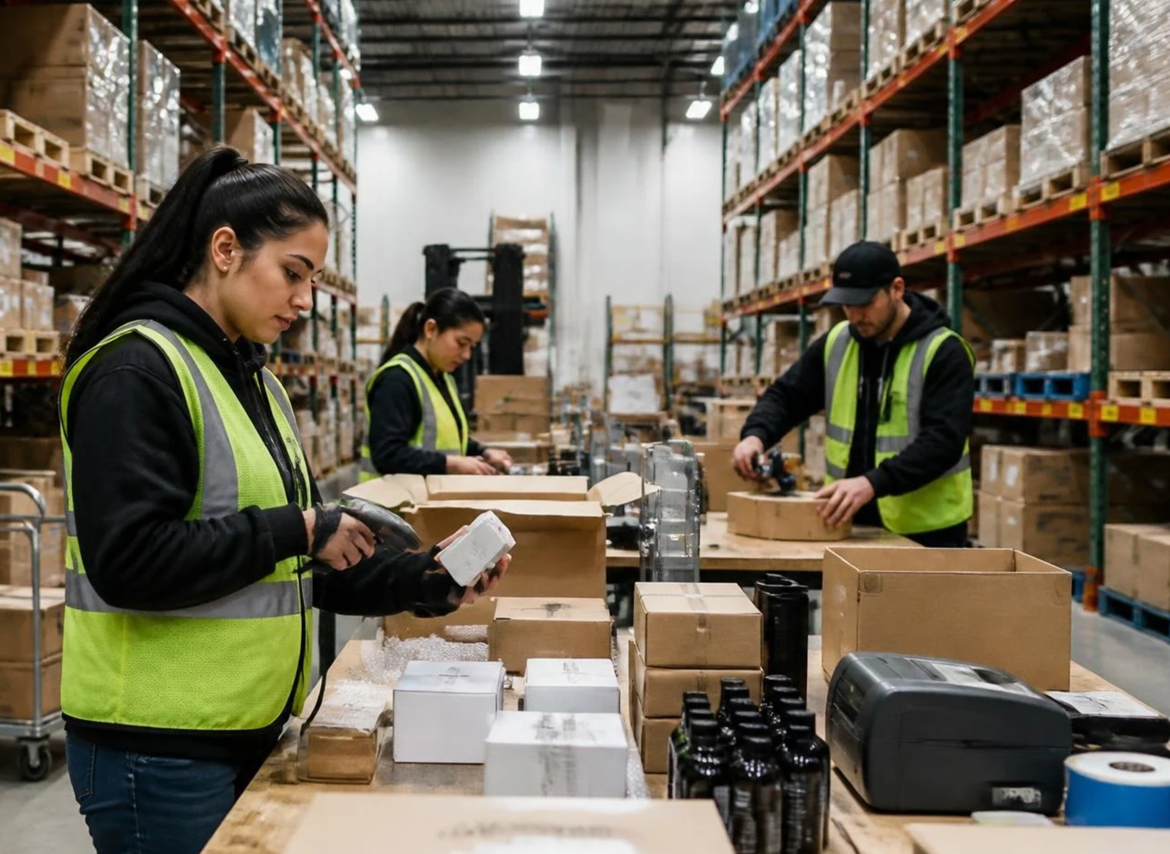
Stock & Ship provides services for Amazon and Walmart sellers, including FBA preparation, inventory storage, labeling, inspection, e-commerce fulfillment, and related logistics support.
For sellers who need to manage inventory outside Amazon before sending eligible shipments into FBA, an external fulfillment partner may offer another option for organizing stock and coordinating replenishment.
Explore the relevant services:
- Amazon FBA and marketplace preparation: https://stockandship.com/services/
- Inventory storage solutions: https://stockandship.com/inventory-storage-solutions-oregon/
- Contact Stock & Ship through its website to discuss your requirements.
The right arrangement depends on product dimensions, storage needs, shipment frequency, handling requirements, and the seller's total logistics budget.
Manage Slow-Moving Inventory Before It Becomes a Problem
Slow-moving stock can consume storage capacity and tie up working capital that could otherwise support stronger products.
Use an inventory review process to identify products with declining sales, high days of supply, or low expected future demand.
Consider the following actions:
Improve product visibility: Review listing quality, pricing, advertising, and conversion performance before assuming demand will recover.
Evaluate promotions: Discounts or targeted offers may help move excess stock, but calculate the margin impact first.
Reduce future purchasing: Update purchase orders and replenishment forecasts when sales no longer support previous buying quantities.
Review removal options: Compare Amazon's available removal or liquidation options with external storage and other permitted alternatives.
Separate seasonal from obsolete stock: A product that sells slowly today may have a legitimate seasonal demand pattern. Base the decision on historical evidence and a realistic forecast rather than a single short period.
Review inventory on a schedule so that corrective action begins before excess stock becomes expensive.
Common Amazon Restocking Mistakes to Avoid
Mistake 1: Treating every restriction as a capacity problem
Account capacity and product-level shipment restrictions may require different actions. Identify the actual issue before changing your inventory.
Mistake 2: Waiting until stock is nearly depleted
Supplier production, freight, receiving, and fulfillment preparation all take time. Replenishment planning should begin well before inventory reaches a critical level.
Mistake 3: Treating forecasts as guarantees
Historical sales and projected demand are useful inputs, but demand can change. Review assumptions regularly and allow for uncertainty.
Mistake 4: Sending excessive quantities to avoid future stockouts
Overstocking may create additional fees, reduce flexibility, and occupy capacity needed for stronger products.
Mistake 5: Ignoring inventory outside FBA
Stock at suppliers, freight forwarders, and third-party warehouses should be included in the wider inventory plan. A fragmented view can lead to duplicate purchases or missed replenishment opportunities.
Mistake 6: Assuming an exemption will be approved
A request is not a guarantee. Maintain a contingency plan for products that remain restricted.
Mistake 7: Ignoring total logistics costs
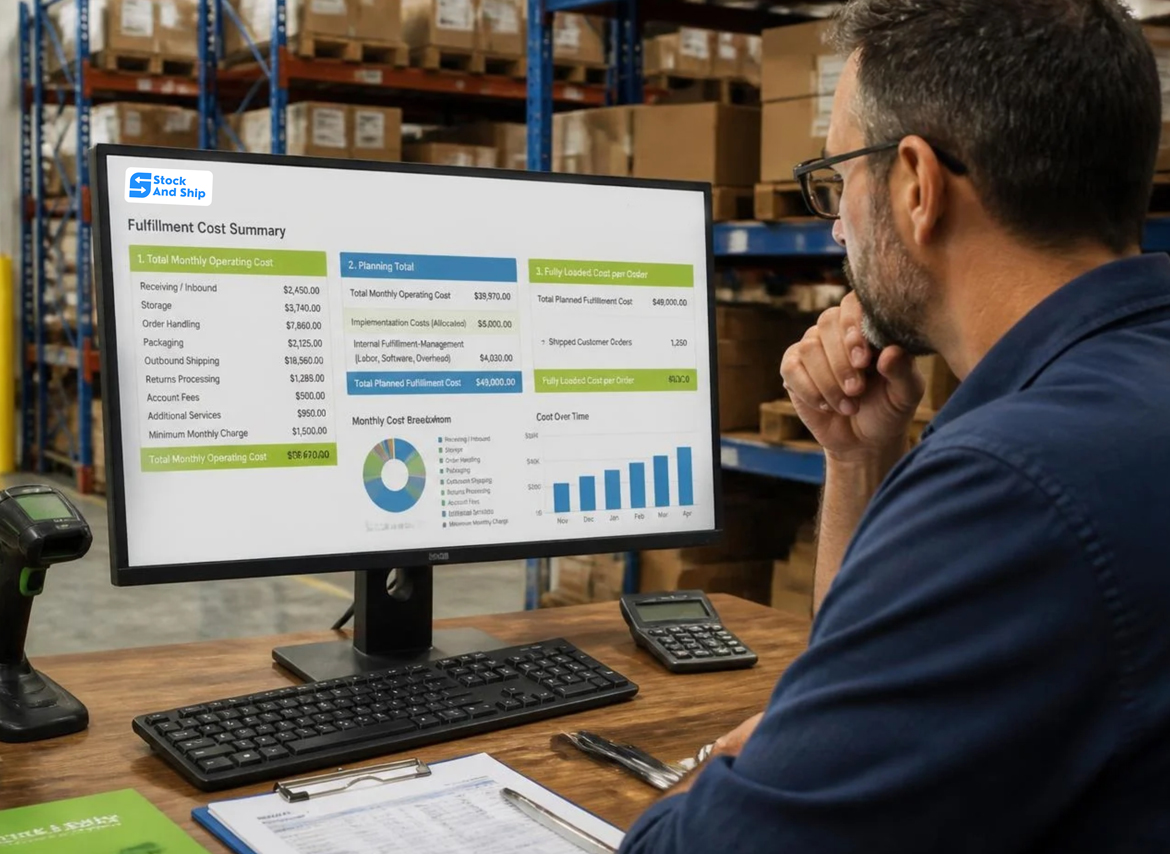
The lowest storage rate does not always produce the lowest overall cost. Evaluate preparation, transportation, handling, storage duration, and shipment frequency together.
A Practical Weekly Restocking Checklist
Use this checklist as part of your routine inventory review.
- Review product-level shipment restrictions and their stated reasons.
- Check current FBA capacity and remaining capacity by storage type.
- Compare available, reserved, and inbound inventory.
- Review sales velocity and days of supply.
- Recalculate reorder points for high-priority SKUs.
- Confirm supplier lead times and purchase-order status.
- Identify excess, obsolete, and seasonal inventory.
- Review upcoming promotions and demand fluctuations.
- Check external warehouse quantities and shipment readiness.
- Record corrective actions, responsible owners, and review dates.
A consistent process makes it easier to identify potential stockouts early and respond to restrictions using verified information rather than assumptions.
Frequently Asked Questions
What is the difference between Amazon restock limits and FBA capacity limits?
Restock restrictions can apply to a particular product or ASIN, while FBA capacity limits govern how much inventory an account can send to and store within the fulfillment network for a specific storage type and period. The applicable Seller Central message determines which restriction needs attention.
How can I check whether my Amazon product is restricted?
Review the FBA Inventory page and the message displayed when creating a shipment in Send to Amazon. Check the relevant reason code, inventory metrics, and current Seller Central guidance.
Can I send more inventory if my FBA capacity is available?
Not necessarily. Available account capacity does not automatically mean every ASIN is eligible for shipment. Product-level restrictions may still apply.
Does using a third-party warehouse solve Amazon restock restrictions?
An external warehouse can provide additional storage and inventory-management flexibility. It does not remove Amazon's shipment eligibility requirements. Inventory must still comply with the rules governing the intended shipment or transfer.
How do I reduce the risk of Amazon stockouts?
Use demand-based reorder points, allow for supplier and shipping lead times, maintain appropriate safety stock, monitor inbound inventory, and review restrictions before inventory becomes critically low. Consider external storage where it is operationally and financially justified.
Should I send all my inventory to Amazon at once?
Not always. Staggered replenishment may improve flexibility and reduce excess FBA stock, but it can increase handling and transportation costs. Choose quantities based on demand, lead times, available capacity, and total logistics costs.
Can Amazon restock restrictions change?
Yes. Sellers should verify current policy information and account-specific restrictions regularly rather than relying on older articles or assumptions about fixed inventory thresholds.
Conclusion: Make Inventory Planning a Competitive Advantage
Amazon restock restrictions can complicate replenishment, but sellers can improve their readiness by understanding the specific restriction, monitoring inventory accurately, and building a realistic restocking plan.
The most effective approach combines demand forecasting, reorder points, disciplined purchasing, regular excess-stock reviews, and visibility across every inventory location. External warehousing may add flexibility, but it should be evaluated against the full cost of storage, handling, and transportation.
For sellers who want additional support with storage, preparation, and fulfillment operations, Stock & Ship offers services designed for Amazon and Walmart sellers.
Take the next step: Review your current inventory position, identify products approaching a replenishment risk, and build a plan that balances availability, storage capacity, and operating costs.
Visit https://stockandship.com/ to explore available fulfillment and inventory storage services.
FAQs (Frequently Asked Questions)
How to organise warehouse inventory?
First, assign a unique identifier to each SKU and designate products to specific storage locations. Next, sort locations by sales activity, product features, handling requirements, and fulfilment process.
Reorganise inventory to speed up order processing?
Well-organised stores save employees time spent looking for products and moving inventory unnecessarily. Well-placed location and product identifiers can also help create more consistent picking and replenishment.
Should high-speed stock be separated?
It’s good to have popular products in easy to reach areas. Some warehouses also have dedicated picking and reserve locations for high volume inventory.
How to arrange returned stock?
Returns should generally be kept separate from available inventory until their condition and status can be reviewed. This helps prevent wrong products being selected for new orders.
How often should a warehouse re-organize inventory?
There is no schedule that applies to every business. If SKU counts, order quantities, product demand, or fulfilment requirements go up or down drastically, inventory organization should be re-evaluated.
Yes, a 3PL can handle and store ecommerce inventory ?
Yeah. Many 3PL providers provide receiving services, storage, inventory handling, picking, packing, marketplace preparation and fulfilment services. It is important for sellers to consider how the provider actually identifies, stores, tracks and processes inventory.